Guides ·
A Tailscale exit node for some apps on Android
The Tailscale app for Android has per-app split tunneling: you can leave chosen apps out of Tailscale, or let only chosen apps use it (Tailscale’s change). With an exit node on, the apps Tailscale carries go out through that node, and the others use your normal connection. Android runs one VPN app at a time, so a VPN app can’t run next to it.
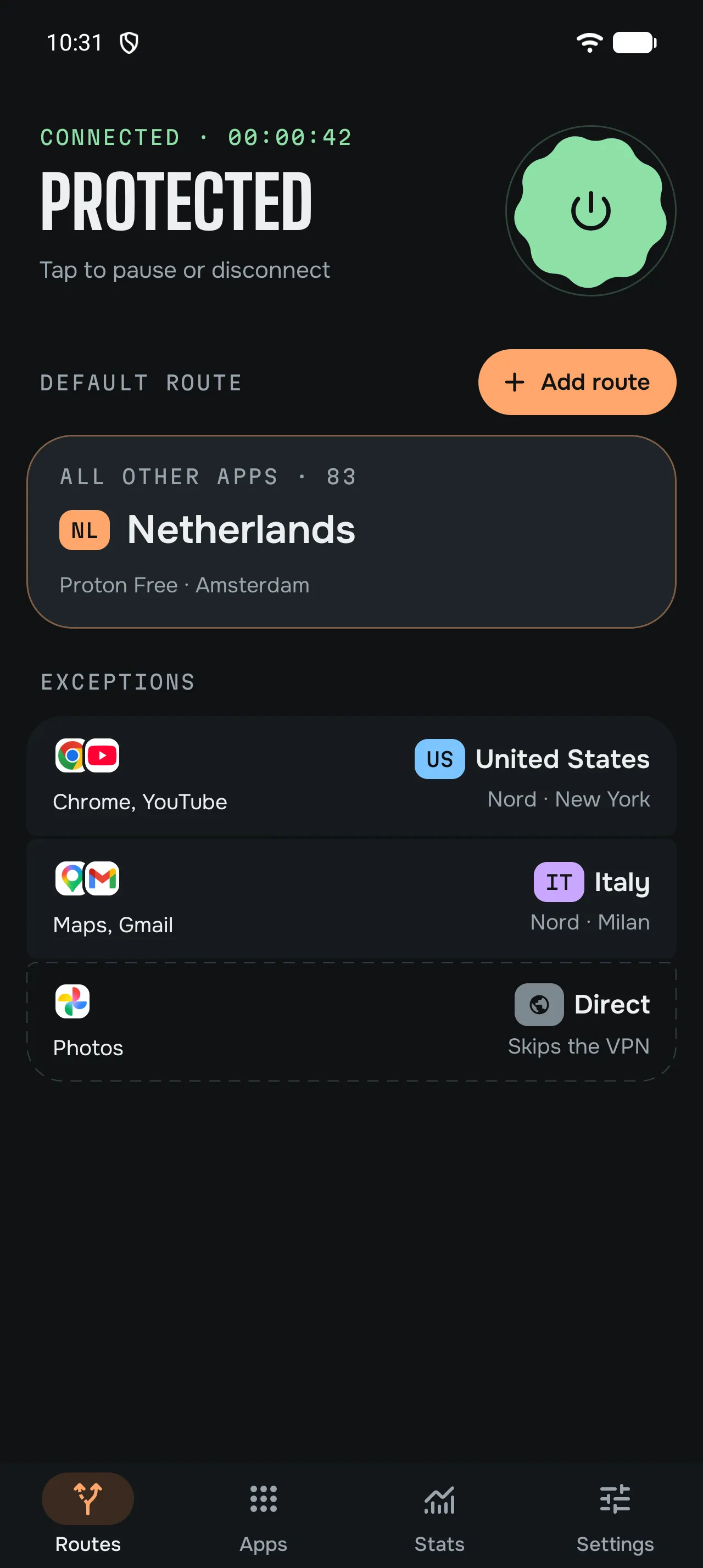
In unbraid, you can send chosen apps through your exit node, such as a computer on your home connection, while the other apps use a VPN exit or your normal connection.
Only some apps through home
- Join your tailnet. On a fresh install, finish the introduction and accept the terms, then choose Tailscale only on the connection screen. Already set up? Open Settings, Tailscale, turn on Reach your tailnet, and in Routes open Direct and tap Make default.
- Connect and sign in. Connect from Routes. If Tailscale asks you to sign in, tap Sign in to Tailscale. unbraid can only list your exit nodes once it’s in your tailnet.
- Add the exit route. In Routes, tap +, then Route, open My servers and choose your exit node.
- Assign apps. Open Apps. On your first visit, tap Show my apps and accept. Tap each app and choose that route.
Apps on that route reach the internet from the exit node, so sites see your home connection. Set up and approve the node as an exit node in your tailnet before you choose it.
The other apps still pass through unbraid. Their internet traffic uses your normal connection, over IPv4, and ordinary lookups use your network’s DNS. They can reach your tailnet while Reach your tailnet is on.
Home for some apps, a VPN for the rest
Keep a VPN provider as the default route, and add the exit node route next to it. Your banking app leaves from home, a streaming app uses NordVPN in another country, and the rest use Mullvad or Proton VPN. The Tailscale guide covers joining your tailnet next to a VPN, and there’s one for Tailscale and NordVPN.
How it behaves
- One exit node at a time. All Tailscale routes use the same exit node. One app can’t use your home while another uses a friend’s node.
- No automatic failover. If the node goes offline, apps on that route have no internet until it’s back or you change their exit. They don’t switch to your normal connection while unbraid is connected.
- DNS. Ordinary lookups from apps on the exit node go through that node, using Quad9 unless you set your own DNS under Settings, DNS & filtering.
- Speed tests. Testing another exit node moves your Tailscale exit routes to it during the test, then back to the node your routes use. If that doesn’t work at once, unbraid keeps trying with each Tailscale update, and until then your Tailscale routes may still use the tested node.
- IPv4 only. Apps that go through unbraid can’t use IPv6.
Questions
Does it work with Headscale? Yes. Under Settings, Tailscale, open Control server, enter its https:// address and tap Save.
Do I need the Tailscale app? No. unbraid joins your tailnet itself, and Android runs one VPN app at a time.
Can the exit node be my home router? Any device in your tailnet that is set up and approved as an exit node works, such as a computer or a router running Tailscale.