How it works
One app. Different ways out.
Android runs one VPN app at a time. un/braid is that app, and inside it every app on your phone gets its own way out: a VPN exit in a country you pick, your own server, your home, or no VPN at all.
Routes and exits
Give every app on your phone its own way out.
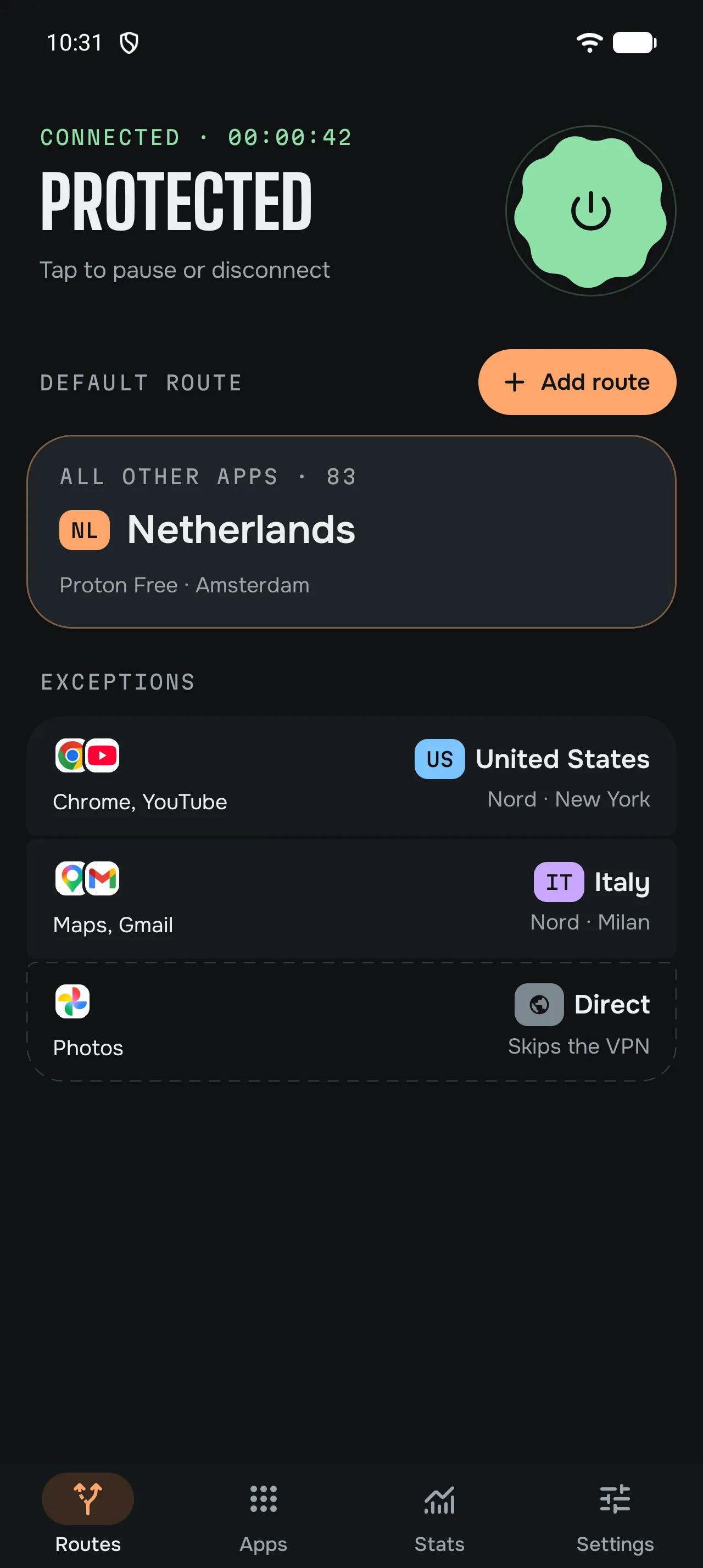
- Per-app routesPick an exit for any app. One route is the default for every app you haven’t placed elsewhere.
- Several exits at onceAll routes are live at the same time, each through its own exit.
- DirectApps set to Direct skip the VPN, for apps that refuse to work over one.
- Only what’s used connectsExits that no app uses stay off.
- The right countryRouted apps look up addresses inside their tunnel, so sites usually see that exit’s country.
Providers and servers
Use the VPN you already pay for, or your own.
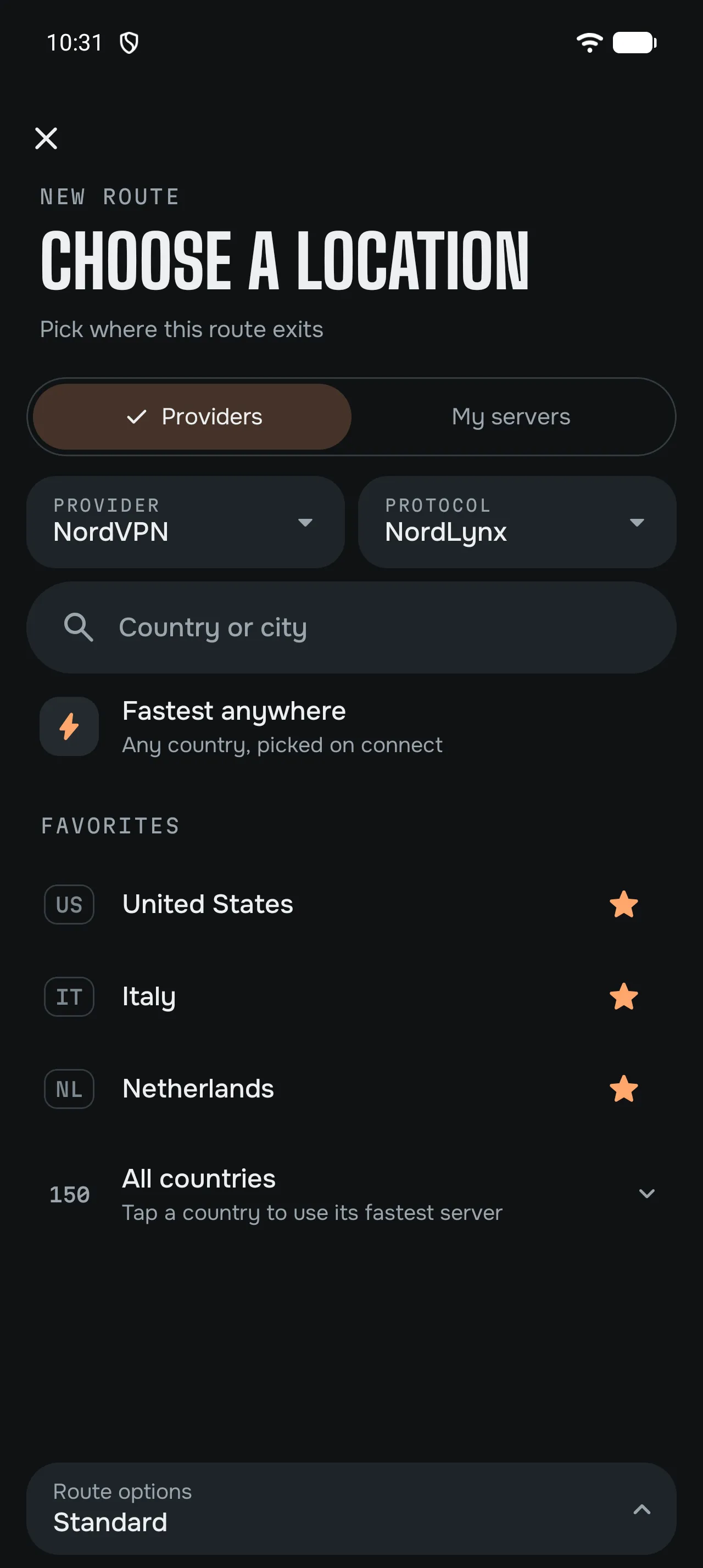
- Built-in providersSign in to the major providers, or add your key, and pick from all their locations.
- Your own configsImport WireGuard and OpenVPN files or Shadowsocks keys from any provider or your own server.
- Mix providersEach route can use a different provider, all connected together.
- Pick or let it pickChoose a country, a city or one server, or let un/braid pick a fast, lightly loaded one. Keep favourites on top.
- Stays connectedIf a server stops answering, un/braid moves that exit to another server by itself.
Home and Tailscale
Your own network, wherever you are.
- Tailscale built inReach the devices on your tailnet next to your VPN exits, without a second app.
- Exit nodesSend chosen apps out through a Tailscale exit node, such as your connection at home.
- HeadscaleUse your own control server instead of Tailscale’s.
- Home and local networkReach your home network through Tailscale or a WireGuard tunnel, and keep devices on your Wi-Fi reachable.
Protection
Sensible defaults, and the controls to change them.
- Blocking per routeUse a provider’s ad and tracker blocking where it offers one, or set your own DNS.
- Always-on and blockingun/braid works with Android’s Always-on VPN and Block connections without VPN, and shows their state.
- Keys stay on the phoneYour provider logins and keys are encrypted on your phone. They’re never sent to us.
Everyday control
Quick to reach, easy to read.
- PausePause the VPN for a while; it comes back by itself.
- Widget and tileConnect from the home screen or quick settings.
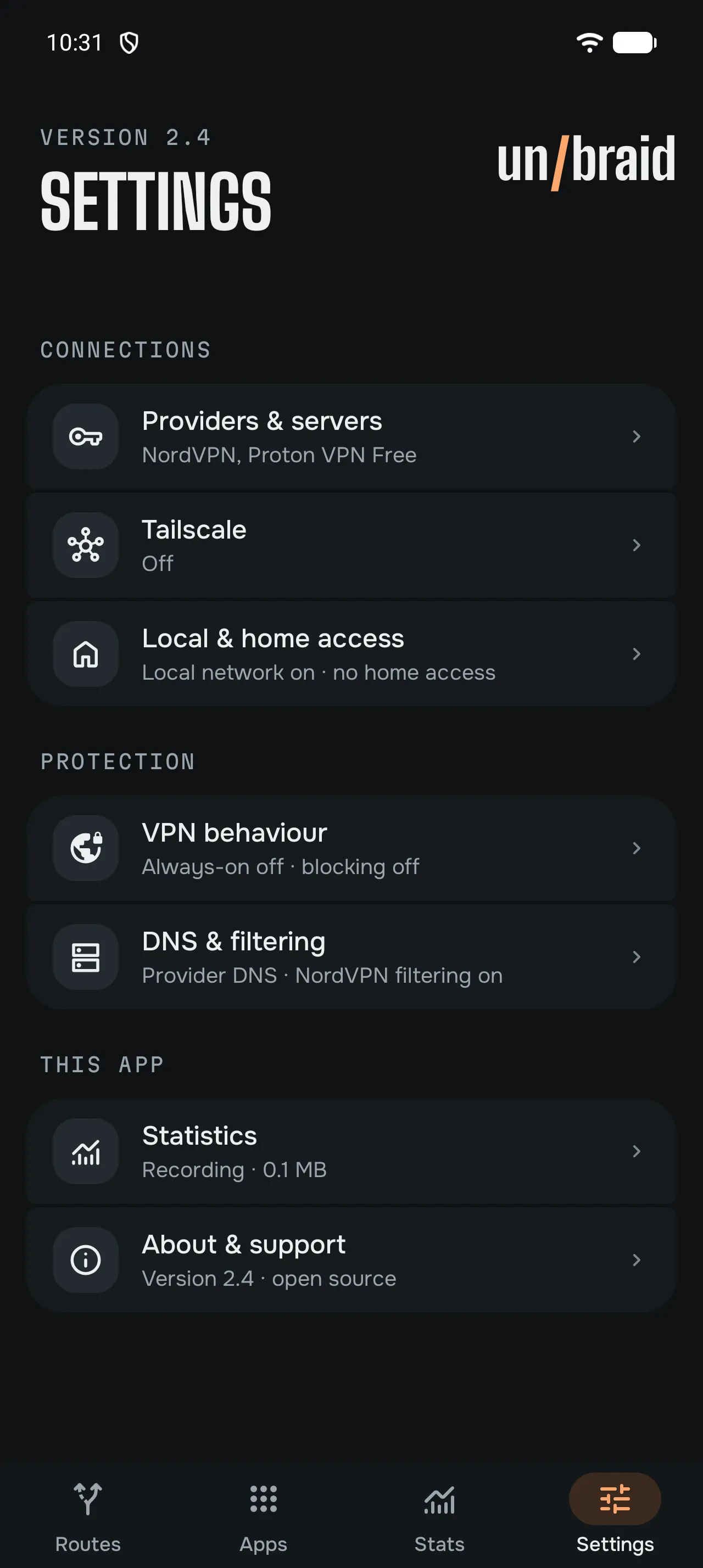
- Settings that show their stateEach setting shows what it’s set to, so you can see at a glance what’s on.
Insight, if you want it
Off until you turn it on. Kept on your phone.
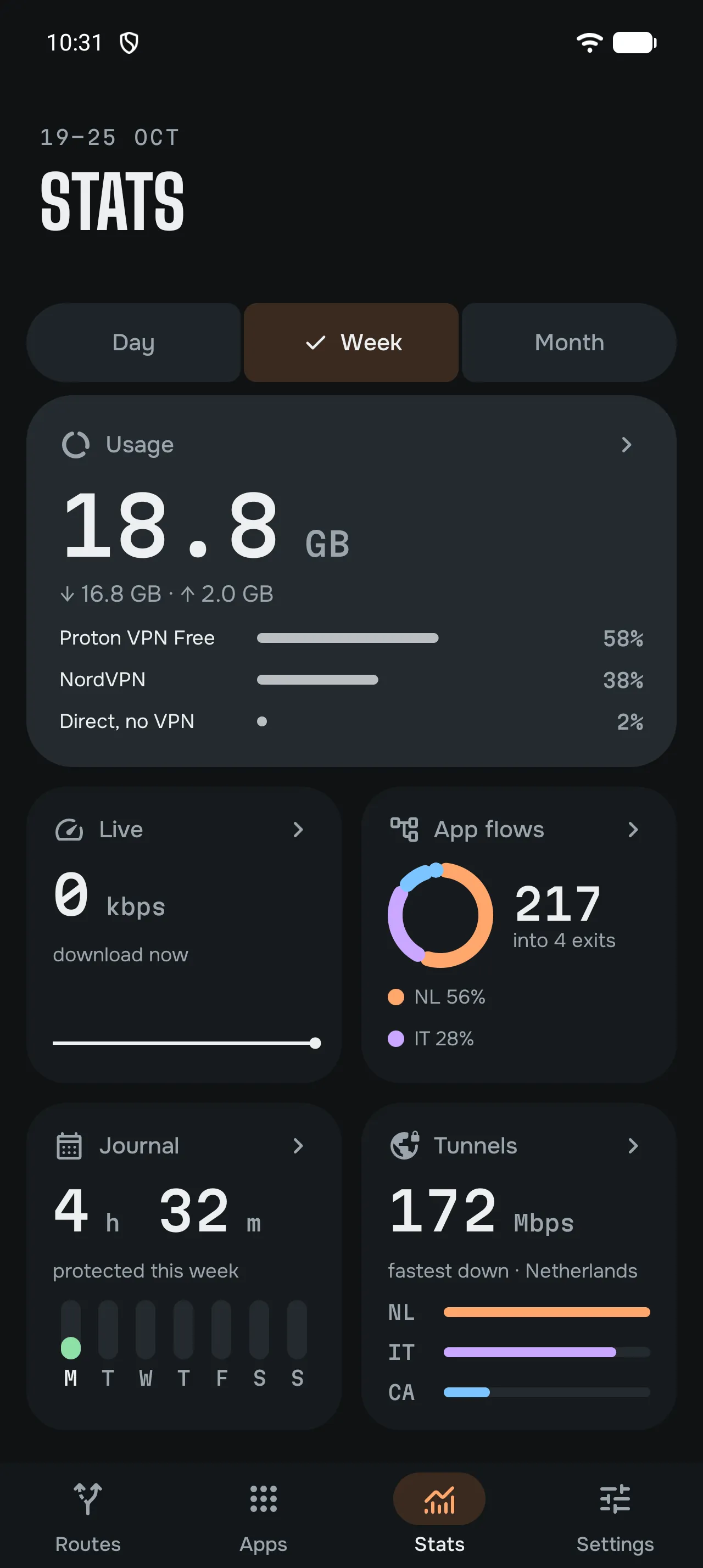
- UsageHow much data each app, exit and provider used, by day, week and month.
- App flowsWhich apps leave through which exit, at a glance.
- TunnelsHow each tunnel is doing, and the speeds seen in use.
- Speed testsTest any exit, including a Tailscale exit node, with M-Lab’s open platform. Results are public; the app asks first.
Privacy and open source
- No servers of oursYour traffic goes to your providers and servers, never through anything we run.
- No account, no analyticsNothing to sign up for with us, and the app sends nothing to a server of ours. Privacy policy
- Open sourceGPL-3.0, built on the sing-box engine. Read the source
Questions
What people ask before they install.
- Can I use two VPNs at the same time on Android?
- Android runs one VPN app at a time. un/braid is that app, and inside it you can connect several VPN exits at once, from one provider or from several.
- Can each app use a different VPN country?
- Yes. Give each app its own route, and each route its own exit: a country, a city or one exact server from your provider. Everything else uses your default route.
- Can I mix VPN providers?
- Yes. One route can go through NordVPN, another through Mullvad or Proton VPN, all at the same time. PIA, IVPN, Surfshark, ExpressVPN, Windscribe and AirVPN work too.
- Can I use Tailscale and a VPN at the same time?
- Yes. Tailscale is built into un/braid, so your tailnet devices stay reachable while your apps use VPN exits. Exit nodes and Headscale work too.
- Can banking apps skip the VPN?
- Yes. Set an app to Direct and it doesn’t use a VPN exit. That helps with banking and other apps that refuse to work over a VPN.
- Can I use my own WireGuard or OpenVPN server?
- Yes. Import WireGuard and OpenVPN files or Shadowsocks keys from any provider or from your own server, and give them to any app.
- Is un/braid a free VPN?
- The app is free and open source, with no ads and no account. It isn’t a VPN service: it provides no servers, so you bring your own subscription or server.
- Does it get around my provider’s device limit?
- No. Each exit you open is a connection to your provider, and its device limit still applies. Exits that no app uses stay off.
Before you install
- You bring the VPNun/braid provides no VPN servers. You need a subscription with a provider, or a server of your own.
- One VPN app at a timeAndroid allows one, so un/braid can’t run next to another VPN app, including your provider’s own.
- Device limits still countEach exit you open is a connection to your provider, and its device limit applies.
- A recent Android phoneAndroid 13 or newer, on a 64-bit ARM phone.